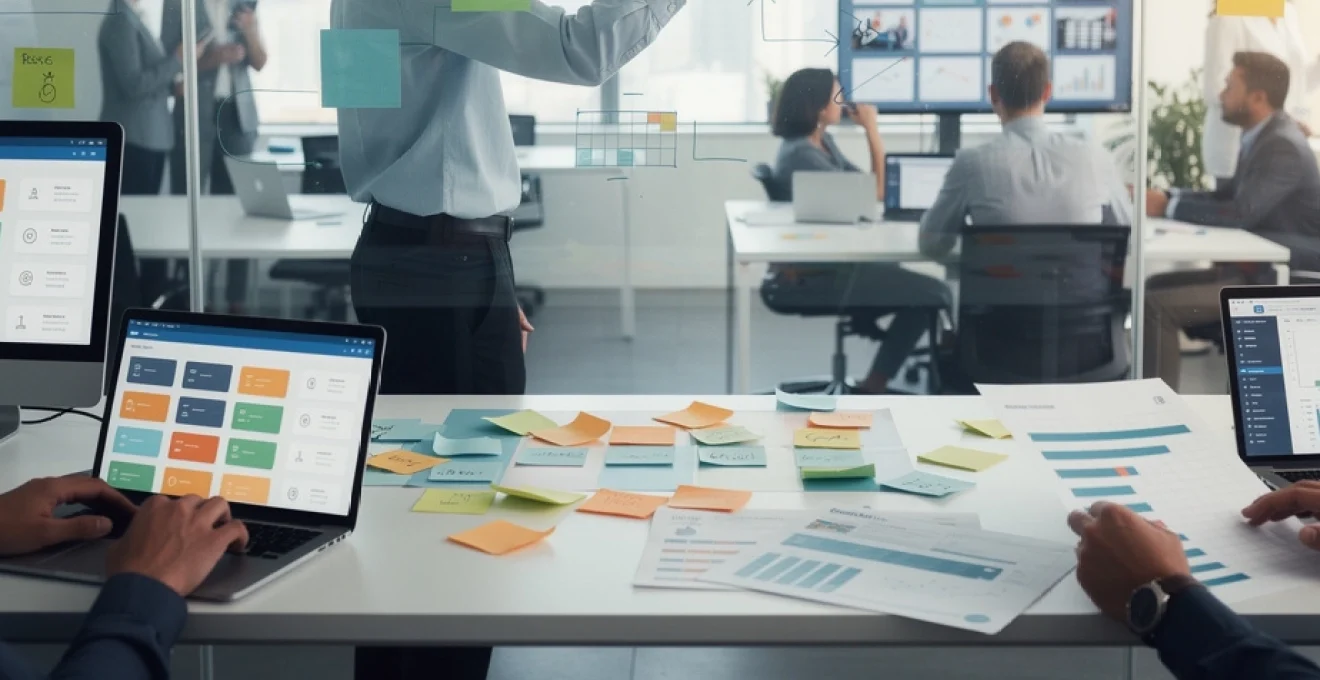
Professional project development has become increasingly critical in today’s competitive business landscape, where organisations demand efficient delivery methods and measurable outcomes. The complexity of modern projects requires a systematic approach that balances strategic planning with agile execution. Whether you’re launching a new product, implementing software systems, or leading organisational transformation initiatives, the foundation of success lies in structured project development. Effective project management significantly reduces failure rates, with studies showing that organisations with mature project management practices complete 89% of their projects successfully compared to just 36% for those with low maturity levels.
Strategic project planning and requirements analysis framework
The cornerstone of any successful professional project lies in comprehensive strategic planning that aligns project objectives with organisational goals. This framework establishes the foundation for all subsequent project activities, ensuring that every effort contributes meaningfully to desired outcomes. Strategic project planning involves analysing market conditions, understanding stakeholder expectations, and defining clear success criteria that guide decision-making throughout the project lifecycle.
Requirements analysis forms an integral component of strategic planning, involving the systematic identification and documentation of project needs. This process requires collaboration with stakeholders to understand their expectations, constraints, and desired outcomes. Effective requirements analysis prevents scope creep, reduces project risks, and ensures that deliverables meet stakeholder expectations. The analysis should encompass functional requirements that define what the project must accomplish, as well as non-functional requirements that specify performance criteria and quality standards.
SMART goals methodology for professional project definition
The SMART goals methodology provides a structured approach to defining project objectives that are Specific, Measurable, Achievable, Relevant, and Time-bound. This framework ensures that project goals are clearly articulated and can be effectively tracked throughout the project lifecycle. Specific goals eliminate ambiguity by clearly defining what needs to be accomplished, whilst measurable goals provide quantifiable criteria for success assessment.
Achievable goals consider available resources, constraints, and organisational capabilities to ensure realistic expectations. Relevant goals align with broader organisational objectives and strategic priorities, ensuring that project efforts contribute meaningfully to business success. Time-bound goals establish clear deadlines and milestones, creating urgency and enabling progress tracking. When implementing SMART goals, consider conducting stakeholder workshops to ensure alignment and buy-in across all project participants.
Stakeholder mapping using RACI matrix principles
Stakeholder mapping utilises RACI matrix principles to clearly define roles and responsibilities throughout the project. The RACI framework designates stakeholders as Responsible (those who perform the work), Accountable (those who ensure completion), Consulted (those who provide input), or Informed (those who receive updates). This clarity prevents confusion, reduces conflicts, and ensures efficient decision-making processes.
Effective stakeholder mapping begins with comprehensive identification of all parties affected by or influencing the project. This includes internal stakeholders such as team members, management, and support functions, as well as external stakeholders like clients, suppliers, and regulatory bodies. Each stakeholder’s level of influence and interest should be assessed to determine appropriate engagement strategies. Regular stakeholder analysis updates ensure that changing relationships and responsibilities are accurately reflected in project planning.
Resource allocation and budget estimation techniques
Resource allocation involves strategically distributing available resources across project activities to maximise efficiency and minimise waste. This process requires detailed understanding of resource requirements, availability constraints, and cost implications. Effective resource allocation considers both human resources and material requirements, ensuring that the right skills and tools are available when needed.
Budget estimation techniques range from top-down approaches based on historical data to bottom-up methods that aggregate detailed cost estimates. Parametric estimation uses mathematical models to predict costs based on project characteristics, whilst analogous estimation leverages similar project experiences. Three-point estimation incorporates optimistic, pessimistic, and most likely scenarios to account for uncertainty. Reserve analysis adds contingency funds to address identified risks and unforeseen circumstances.
Risk assessment matrix development and mitigation strategies
Risk assessment matrices provide systematic frameworks for identifying, analysing, and prioritising project risks based on their probability and potential impact. This visual tool enables project managers to focus attention on high-priority risks whilst ensuring that lower-priority risks are not overlooked. The matrix typically uses colour coding to highlight risk severity levels, facilitating quick decision-making and resource allocation.
Mitigation
Mitigation strategies should be proportionate to the level of risk and may include avoidance, reduction, transfer, or acceptance. For high-impact threats, you might redesign processes to eliminate the risk altogether, whereas moderate risks can often be reduced through additional controls, training, or testing. Insurance, outsourcing, or contractual clauses can help transfer specific risks to third parties. Every significant risk should have an assigned owner, a clear response plan, and early warning indicators so that you can intervene before issues escalate into full project failures.
Project management methodology selection and implementation
Selecting an appropriate project management methodology is a critical decision that shapes how your professional project will be planned, executed, and controlled. The choice between Agile, Waterfall, hybrid models, or formal frameworks such as PRINCE2 should be based on project complexity, regulatory constraints, stakeholder expectations, and organisational culture. Rather than adopting a methodology by trend, you should assess how each approach supports your specific project goals, risk profile, and delivery timelines. A well-chosen methodology provides structure, improves predictability, and enhances collaboration across cross-functional teams.
Implementation of the chosen methodology requires more than updating templates; it demands behavioural change, training, and consistent leadership support. Project managers should define practical working agreements, cadence of meetings, documentation standards, and reporting mechanisms that reflect the methodology’s principles. Periodic methodology reviews during retrospectives or post-implementation evaluations help you fine-tune processes, remove unnecessary bureaucracy, and maintain a balance between governance and flexibility. Over time, this disciplined approach builds organisational project maturity and improves success rates across your entire project portfolio.
Agile framework implementation with scrum and kanban integration
Agile frameworks are particularly effective for professional projects that face evolving requirements, high uncertainty, or rapid market changes. Scrum provides a structured way to manage work in short iterations, called sprints, typically lasting two to four weeks, with a clear focus on delivering incremental value. Roles such as Product Owner, Scrum Master, and Development Team support accountability and continuous improvement. You define a prioritised product backlog, conduct sprint planning, hold daily stand-ups, and perform sprint reviews and retrospectives to refine both the product and the process.
Kanban complements Scrum by visualising workflow and limiting work in progress to reduce bottlenecks and context switching. For example, a Kanban board segmented into columns like To Do, In Progress, Review, and Done helps teams monitor flow at a glance and quickly identify constraints. Integrating Scrum and Kanban, often referred to as “Scrumban,” allows you to retain the time-boxed structure of sprints while optimising throughput using Kanban metrics such as cycle time and lead time. This hybrid Agile approach is especially powerful for professional project environments where you must balance predictable delivery dates with the need to respond rapidly to change.
Waterfall model application for complex enterprise projects
The Waterfall model remains highly relevant for complex enterprise projects with stable requirements, strict regulatory frameworks, or significant integration dependencies. In this linear approach, the project progresses through defined phases such as requirements, design, implementation, testing, deployment, and maintenance. Each phase has formal entry and exit criteria, and sign-offs ensure that key stakeholders approve deliverables before the next stage begins. This structured sequence provides strong traceability and is particularly favoured in sectors such as construction, defence, and pharmaceutical development.
To apply Waterfall effectively, you should invest heavily in upfront requirements analysis, architectural design, and risk assessment, as changes become more expensive once later phases are underway. Detailed documentation, such as requirements specifications, design documents, and test plans, supports compliance audits and knowledge transfer. While critics argue that Waterfall can be rigid, you can introduce controlled flexibility through change control boards and phased releases. For large professional projects where predictability, documentation, and regulatory compliance are paramount, a disciplined Waterfall model remains a robust choice.
Hybrid project management approaches for cross-functional teams
Many modern organisations find that neither pure Agile nor traditional Waterfall approaches fully meet their needs, especially when cross-functional teams collaborate on complex professional projects. Hybrid project management combines elements of both, using predictive planning for high-level milestones and budgets while leveraging iterative delivery for specific workstreams. For example, you might use Waterfall-style planning for infrastructure deployment while managing software development components using Agile sprints. This enables you to maintain executive-level predictability whilst empowering delivery teams to adapt tactically.
Designing a hybrid model starts with mapping which project components require strict control and which benefit from flexibility. Governance structures, reporting formats, and approval processes must be aligned so that Agile and non-Agile teams can collaborate without friction. You may choose to track overarching milestones on a master Gantt chart, while individual teams rely on backlogs and Kanban boards to manage their day-to-day work. Regular integration checkpoints ensure that outputs from different methodologies converge cohesively, preventing the “two-speed” project from diverging into silos.
PRINCE2 methodology adoption for structured delivery
PRINCE2 (Projects IN Controlled Environments) is a widely recognised, process-based methodology designed to provide a controlled and organised approach to project delivery. It is particularly suited to professional projects that require strong governance, clear accountability, and repeatable processes across a portfolio. PRINCE2 is built on seven principles, seven themes, and seven processes, covering everything from business justification and organisation to risk, quality, and change control. One of its key strengths is the emphasis on tailoring, which allows you to adapt the method to the size and complexity of your project.
Adopting PRINCE2 typically begins with training project managers and key stakeholders in its core concepts and terminology. You then define roles such as Executive, Senior User, and Senior Supplier, and establish management products like the Business Case, Project Initiation Documentation, and Stage Plans. Projects are divided into manageable stages, with decision points at the end of each to confirm continued viability. By embedding PRINCE2 practices into your professional project, you create a common language and consistent framework that supports auditability, stakeholder confidence, and controlled delivery.
Digital project management tools and technology stack
Digital project management tools form the backbone of modern professional project execution, providing the visibility and automation needed to manage complex work. An effective technology stack supports planning, scheduling, resource management, collaboration, and reporting in a unified environment. Selecting the right tools involves balancing feature richness with usability and integration capabilities, ensuring that your team can adopt them without excessive training overhead. When tools are well integrated, data flows seamlessly between systems, reducing manual effort and improving decision-making accuracy.
Before committing to a specific toolset, you should analyse your project requirements, team size, and preferred methodologies. Do you need advanced portfolio reporting, or will lightweight task tracking be sufficient? Are your stakeholders comfortable with cloud-based tools, or are there security requirements that dictate on-premises solutions? Pilot implementations and user feedback can help validate whether a tool genuinely supports your workflows or simply adds another layer of complexity. Over time, a carefully curated digital ecosystem becomes a strategic asset for consistent project success.
Jira software configuration for agile project tracking
Jira Software is a leading platform for Agile project tracking, particularly well-suited to Scrum and Kanban implementations. Effective configuration starts with defining projects that reflect your organisational structure, such as by product line, client, or department. You then configure issue types—such as epics, stories, tasks, and bugs—to represent different work items in your professional project. Custom fields and workflows can be added to capture essential information like priority, risk level, or compliance requirements, while ensuring that approval paths match your governance model.
Boards in Jira allow you to visualise and manage work in real time, with Scrum boards supporting sprint-based planning and Kanban boards enabling continuous flow. You can configure swimlanes for priorities or teams, and set Work In Progress limits to reduce bottlenecks. Built-in reports such as burndown charts, velocity charts, and cumulative flow diagrams provide insights into delivery pace and process efficiency. Integrations with tools like Confluence, Bitbucket, and Slack further enhance collaboration, centralise documentation, and create a coherent digital environment for your professional project.
Microsoft project professional for resource management
Microsoft Project Professional remains a powerful choice for organisations that require detailed scheduling and resource management capabilities. Its Gantt chart interface allows you to define tasks, durations, dependencies, and milestones, providing a clear visual roadmap of your professional project. You can allocate resources to tasks, track utilisation levels, and identify overallocation risks before they impact delivery. Cost rates can be assigned to resources, enabling you to generate accurate financial forecasts and monitor budget performance throughout the project lifecycle.
Advanced features such as critical path analysis, baseline comparisons, and scenario planning help you evaluate the impact of changes and optimise schedules. Integration with Microsoft 365 tools like Teams, SharePoint, and Excel facilitates collaboration and data exchange, reducing duplication of effort. For organisations managing multiple concurrent initiatives, Project Online and Project for the web support portfolio-level visibility and prioritisation. When used effectively, Microsoft Project Professional provides the level of control and foresight required for large-scale, resource-intensive professional projects.
Asana workflow automation and team collaboration features
Asana is designed to streamline collaborative work by transforming project plans into actionable, trackable tasks. You can structure your professional project using projects, sections, and tasks, assigning owners, due dates, and priority levels. Multiple views—such as list, board, timeline, and calendar—allow stakeholders to visualise progress from different perspectives, enhancing transparency across the team. Subtasks and dependencies help you break down complex deliverables into manageable steps whilst maintaining visibility of the overall workflow.
Workflow automation in Asana reduces manual administration and helps enforce consistent processes. Rules can automatically assign tasks, set due dates, or move items between sections based on triggers such as status changes or field updates. Integrations with tools like Google Workspace, Microsoft 365, Slack, and Salesforce embed Asana into your existing ecosystem, creating a central hub for work management. For professional projects with distributed teams, Asana’s communication features—comments, @mentions, and status updates—keep everyone aligned without overloading inboxes.
Trello board optimisation with Power-Ups integration
Trello offers a simple yet powerful visual approach to managing projects, making it ideal for smaller teams or as a lightweight layer within a broader project management stack. Boards, lists, and cards allow you to model your professional project workflow in an intuitive, drag-and-drop interface. You can capture key details on cards, including descriptions, checklists, labels, due dates, and attachments, ensuring that essential information is always at hand. This makes Trello particularly useful for managing backlogs, content calendars, or operational support streams.
Power-Ups extend Trello’s functionality by adding integrations and advanced features such as custom fields, calendar views, and time-tracking. For instance, integrating a Gantt chart Power-Up enables you to visualise timelines, while linking Trello to tools like Slack, Google Drive, or Jira creates a more connected workspace. Automation through Trello’s built-in “Butler” feature supports rules such as auto-assigning cards, posting reminders, or moving items based on triggers. By thoughtfully configuring boards and Power-Ups, you transform Trello from a simple task list into a tailored control centre for your professional project.
Slack workspace integration for real-time communication
Slack has become a central communication platform for many project teams, enabling real-time collaboration and rapid information exchange. Organising your Slack workspace into channels aligned with projects, workstreams, or functional areas ensures that discussions remain focused and easy to search. Dedicated channels for announcements, incidents, or change requests can support your governance framework, preventing critical updates from being buried in one-to-one messages. Public channels also foster transparency and reduce duplication, as answers to common questions are visible to everyone.
The real strength of Slack for professional projects lies in its integration capabilities. Connecting Slack with tools such as Jira, Asana, Trello, and Microsoft Project allows updates, comments, and status changes to appear directly within relevant channels. You can configure alerts for build failures, deployment events, or KPI thresholds, turning Slack into an operational command centre. To avoid noise and maintain productivity, you should define channel naming conventions, notification guidelines, and etiquette for mentions. When used with intention, Slack becomes a powerful enabler of coordination rather than a source of distraction.
Team formation and leadership development strategies
Building the right project team is as critical as selecting the right methodology or tools. Effective team formation begins with identifying the competencies required to deliver your professional project, including technical expertise, domain knowledge, and soft skills such as communication and problem-solving. You should aim for a balanced blend of specialists and generalists, ensuring that the team can adapt to changing priorities without creating single points of failure. Diversity in backgrounds and perspectives often leads to more innovative solutions and better risk identification.
Once the team is assembled, leadership development becomes central to sustainable performance. Project leaders must demonstrate situational leadership, adapting their style from directive to coaching or delegating based on team maturity and task complexity. Regular one-to-one conversations, clear expectations, and constructive feedback help individuals grow and stay engaged. Establishing psychological safety—where team members feel comfortable raising issues or suggesting ideas—directly correlates with higher-quality outcomes and more reliable delivery, particularly in high-pressure professional project environments.
Project execution monitoring and quality assurance protocols
During execution, your primary challenge is to ensure that the project stays aligned with its baseline plan whilst remaining responsive to new information. Monitoring involves tracking progress against schedule, budget, and scope, using a combination of dashboards, status reports, and review meetings. Key performance indicators such as schedule variance, cost variance, and earned value provide objective insight into whether you are on track. However, numbers alone are not enough; qualitative feedback from stakeholders and team members often reveals emerging issues before they appear in formal metrics.
Quality assurance protocols ensure that deliverables meet defined standards and that errors are detected early. This may involve peer reviews, testing strategies, acceptance criteria, and compliance checks integrated into your workflow. You can adopt a “shift-left” mindset by embedding quality activities earlier in the lifecycle, such as continuous integration testing or early prototypes. Clear definitions of “done” for each work item prevent misunderstandings about completion and reduce rework. By combining rigorous monitoring with proactive quality practices, you increase the likelihood that your professional project will deliver outcomes that satisfy both business and user expectations.
Professional portfolio development and project documentation standards
Capturing and presenting the outcomes of your professional project is essential for both organisational learning and individual career development. A well-curated project portfolio showcases completed initiatives, highlighting objectives, approaches, results, and key lessons learned. For organisations, this portfolio supports strategic decision-making by demonstrating where investments have generated value and where process improvements are needed. For individuals, documented project achievements become tangible evidence of capability when pursuing promotions, certifications, or new roles.
Establishing documentation standards ensures that project records are consistent, accessible, and useful beyond the life of a single initiative. Core artefacts typically include a project charter, scope statement, schedule baseline, risk register, change log, and closure report, each maintained to an agreed level of detail. Version control and centralised repositories reduce the risk of outdated information circulating among stakeholders. At project closeout, you should conduct a structured lessons learned review and capture insights in a format that others can easily reference. Over time, this disciplined approach to documentation and portfolio management becomes a competitive advantage, enabling you and your organisation to build on every project rather than starting from scratch each time.